Call transfer with the Essence phones
This feature is available for the majority of models of the Essence family (GDP-06i, GDP-06e, GDP-09, GDP-10, GDP-10i ).
In the factory settings the call transfer request is sent to the network as the standard ECT (Explicit Call Transfer) signalling.
Some mobile operators use a custom DTMF or USSD sequence instead of the ECT signalling, then your phone setting has to be set accordingly.
Call transfer using ECT
In the default factory setting of Essence phones, Call Transfer is done using the ECT function of the GSM network. Only some GSM networks support that function and it is usually enabled only on specific SIM cards. Please check with your GSM provider if the ECT call transfer is available in your network.
The ECT function does not work reliably for 4G calls and we recommend you to use the Call Transfer using USSD or DTMF, if they are supported by your GSM network operator.
After changing the Call Transfer settings, you can switch back to ECT by entering the code *##04*# and confirming it by the green key press.
Setting Call Transfer using USSD code
Some GSM networks support Call Transfer using USSD code. The USSD code format is unique to your specific GSM network and you need to follow information from your GSM network operator.
For example: if the network allows Call Transfer using USSD code *21*<target_number>#
Dial code: *##04**21*+++++++++## and confirm by pressing the green button.
| *##04* | Starting sequence of the Call Transfer setting for the Essence phones |
| *21* | Starting sequence of the Transfer code given by the GSM Operator |
| +++++++++ | Position which will be replaced by the target number of the call transfer. It is necessary to input as many “+” signs as there are digits in your nation’s local phone numbers. Number of digits in the target phone number is constant |
| # | Ending sequence of the Transfer code given by the GSM operator |
| # | Ending sequence of the Call Transfer setting for the Essence phones |
Note:
The symbol “+” enter by pressing the key “*”. Hold the “*” key pressed for 2 seconds and the symbol “*” will switch to “+”.
The symbol “P” enter by pressing the key “7”. Hold the “7” key for 2 seconds and the symbol “7” will switch to “P”.
Setting Call Transfer using DTMF
Some GSM networks support Call Transfer using DTMF code. The DTMF code format is unique to your specific GSM network and you need to follow information from your GSM network operator.
For example: if the network allows Call Transfer using DTMF code *42*<target_number>#
Dial code: *##04*P*42*+++++++++## and confirm by pressing the green button.
| *##04* | Starting sequence of the Call Transfer setting for the Essence phones |
| P | Switch the dialing to DTMF |
| *42* | Starting sequence of the Transfer code given by the GSM Operator |
| +++++++++ | Position which will be replaced by the target number of the call transfer. It is necessary to input as many “+” signs as there are digits in your nation’s local phone numbers. Number of digits in the target phone number is constant |
| # | Ending sequence of the Transfer code given by the GSM operator |
| # | Ending sequence of the Call Transfer setting for the Essence phones |
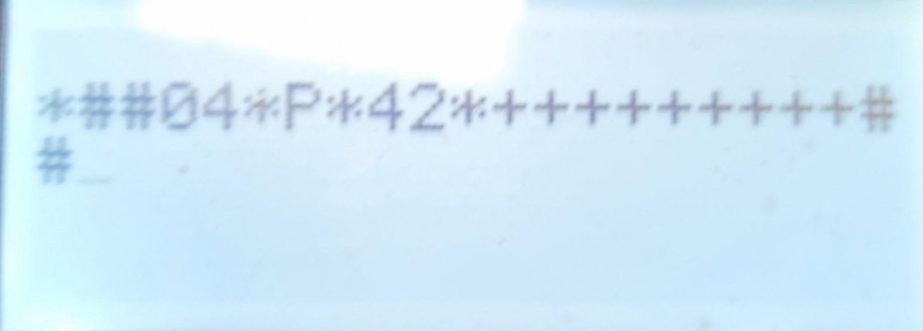
Notes for using DTMF:
-
- When part of the transfer-sequence should be dialed as a DTMF sequence, insert P within the transfer-sequence (press the button 0 or 7 and hold it for 2 seconds to type P). Example: *##04**21*777888999P+++++++++##
- When the whole transfer-sequence should be dialed as a DTMF sequence, start the transfer-sequence with P (press the button 0 and hold it for 2 seconds to type P). Example: *##04*P*21*+++++++++##
- When the whole transfer-sequence is sent as a DTMF sequence, process of making call transfer changes as follows: 1. During the call press the Transfer button. 2. Select/Type desired phone number. 3. Confirm by the green button.
How to check the phone’s setting?
Dial the code on your phone: *##04#
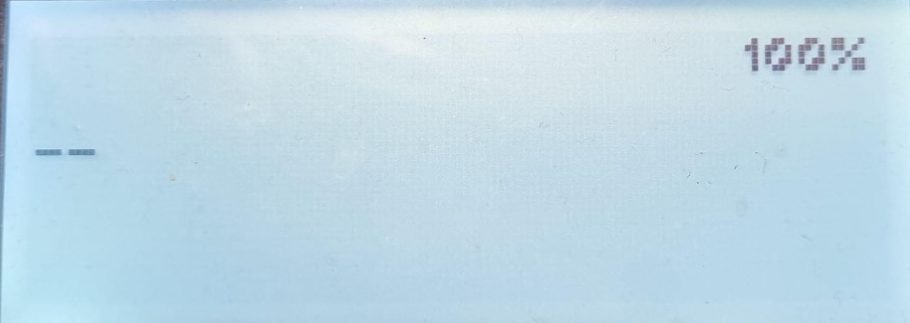
When the phone responds with “_ _” Call Transfer using GSM ECT is active
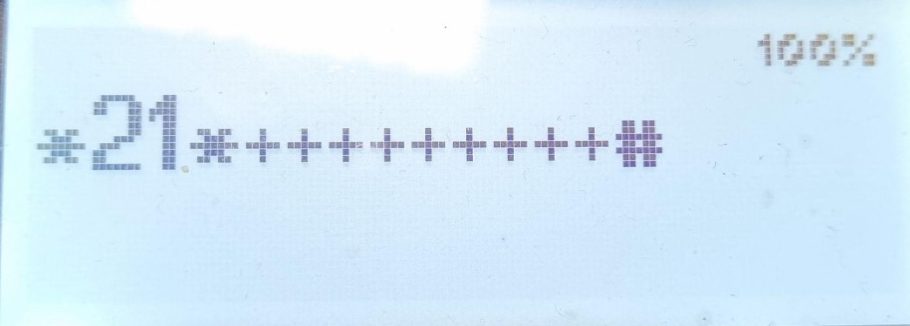
If the response with the transfer pattern is without the “P” character then USSD call transfer is used
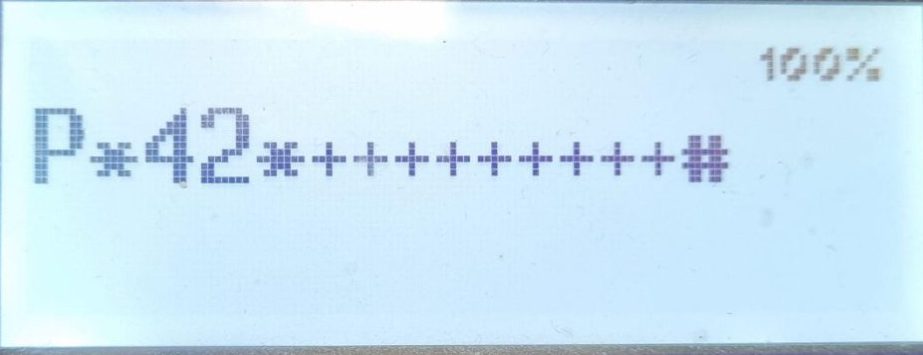
If there is the a “P” symbol in the sequence then the call transfer goes via DTMF
General remarks
- When you redefine call transfer with these service codes, then both ways (“Transfer” button and all “Transfer” options in the menu) will work accordingly.
- You need to enter this service code only once, since that the phone follows your instructions any time when Transfer is pressed.
- You can have different service codes stored under the hot dial buttons and thus simply change behavior of the phone according the current need. (Eg. when your operator has sequence starting with *21* for direct call transfer and with *22* for call transfer with consultation, you can have *##04**21*+++++++++## stored under the first hot dial button and *##04**22*+++++++++## stored under the second hot dial button. Then you can easily switch the behavior of the phone according your current needs.