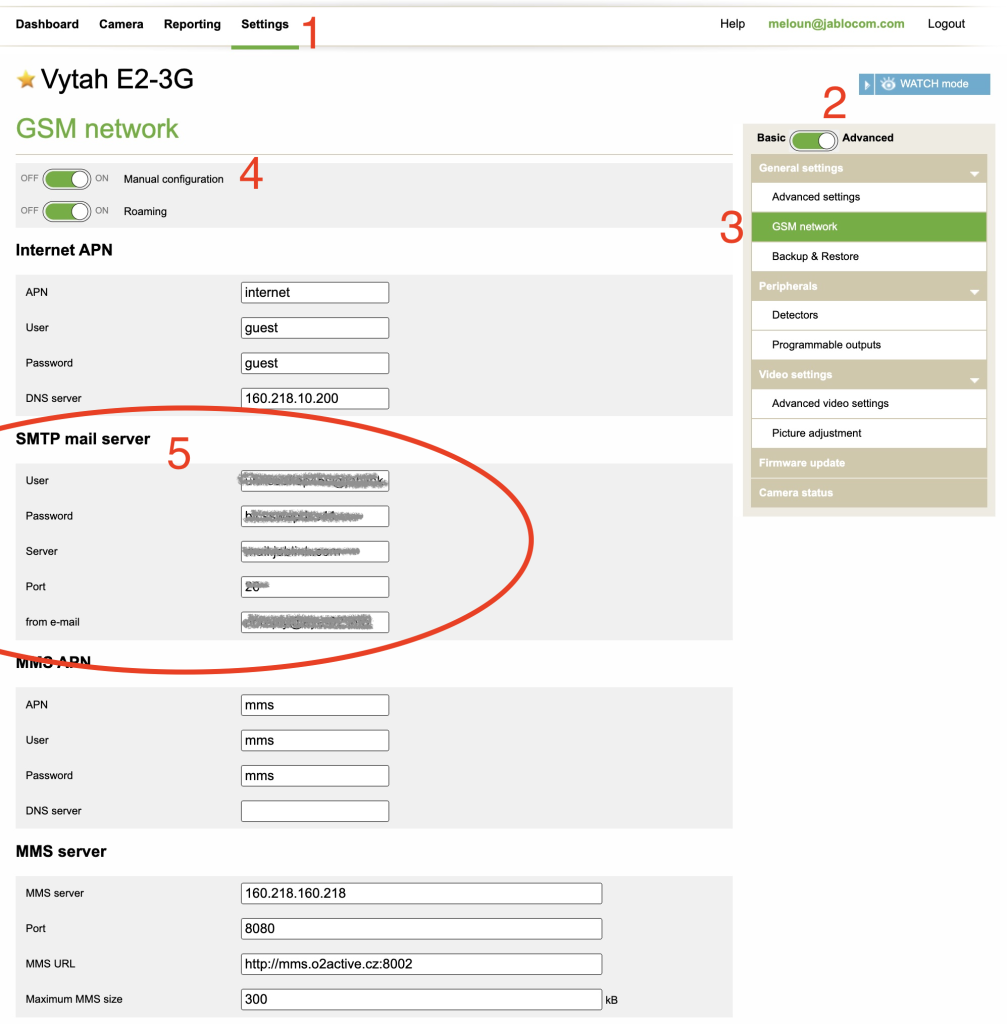
SMTP server setting for EYE-02 and EYESEE cameras
ATTENTION: Since March 14th, 2025 the default (factory) configuration of SMTP server in your camera will not work anymore due the security changes at Google mail servers. If you user the e-mails form the camera then the camera configuration needs to be updated manually!
To change the default configuration of SMTP server for sending the mails from camera you need
-
- go to www.jablotool.com,
- click Settings,
- check you have selected Advanced mode and select the GSM network.
- Then switch ON the Manual configuration
- and rewrite the default SMTP mail server setting by your own SMTP server parameters.
Note: Camera does not support SSL or TLS . The port number should be changed to 25 (default for SMTP).