Using headset with GDP-04 model
Is it possible to use headset with my JabloPhone GDP-04?
Yes, it is. You can use a connector adaptor RJ-11 ↔ 2x 3,5 mm jack (buy here) and normal PC-compatible headset with two separate connectors for MIC and HEADPHONES.
-
- Disconnect the receiver cable from the phone and receiver. Leave the receiver on the phone.
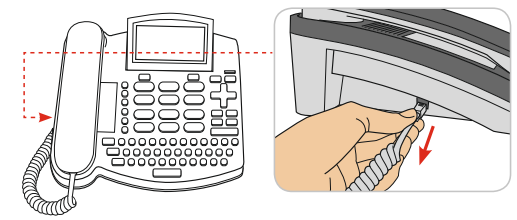
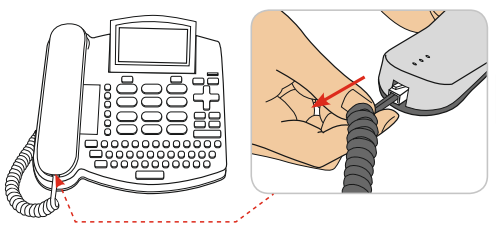
-
- Connect the adaptor to the phone.
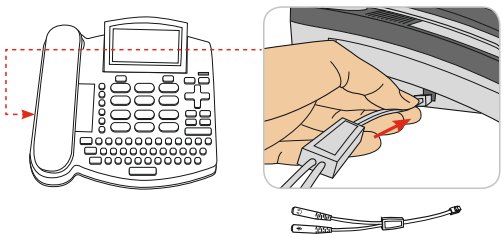
-
- Connect your headset to the adaptor.
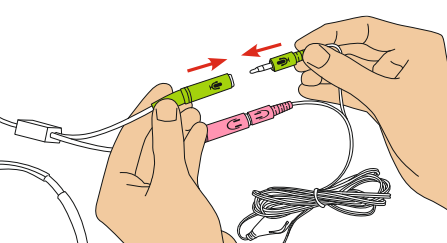
-
- You should end up with this:
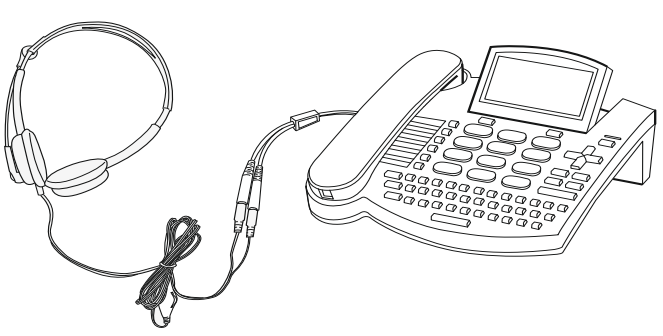
Now you have to enable the headset support in the phone.
-
- Go to Menu of the JabloPhone and select Settings → Service → Code entry… → and enter HEAD1 to toggle on the headset support (for toggling off the headset support enter code HEAD0)
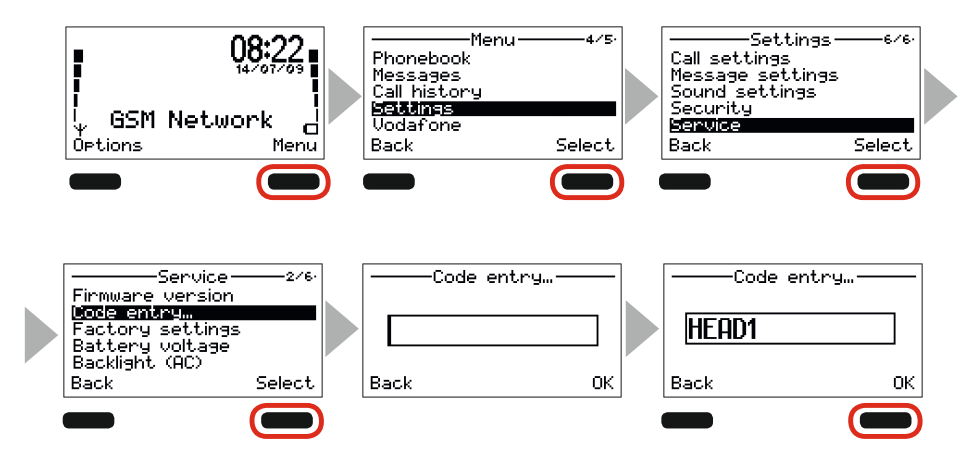
-
- Or use JabloTool desktop SW (download here) – connect your JabloPhone via USB to your computer, select Configuration → Advanced → tick Headset support
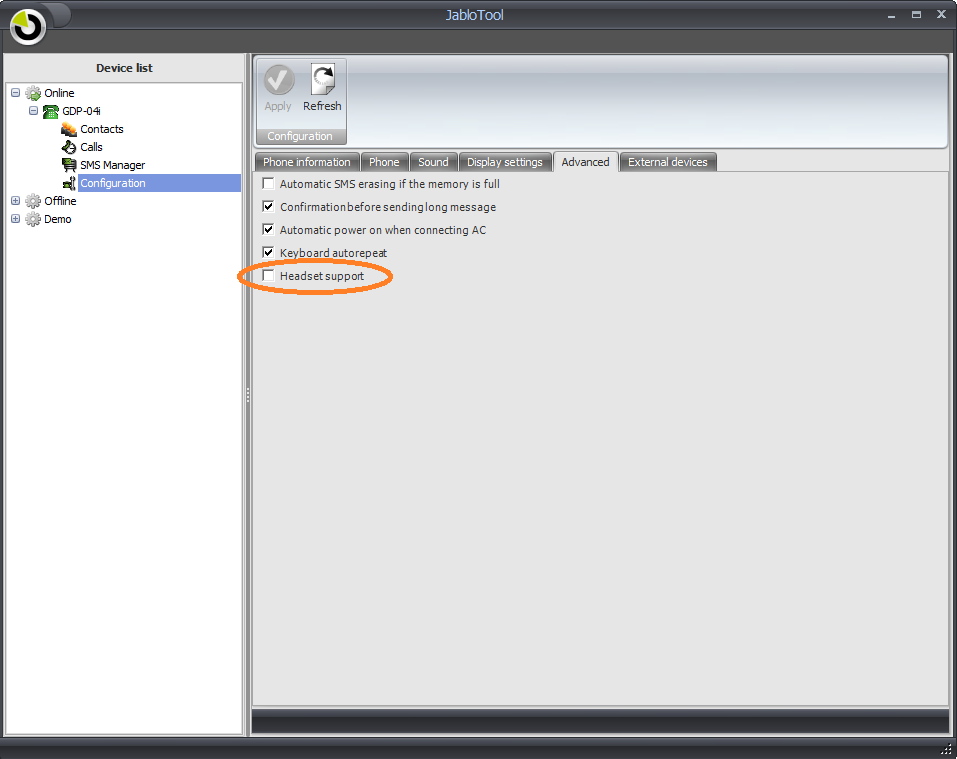
- For making, receiving or ending calls please use green tick button and red X button or spacebar.
 Podpora pro kamery EYE-02 v češtině